HVAC Social Media Marketing: What to Post, and the One Tip to Never Give
Real captions to copy, a spring-to-winter posting calendar, and the "helpful tip" that is actually against the rules to give out.
By the Next5 team · · 7 min read
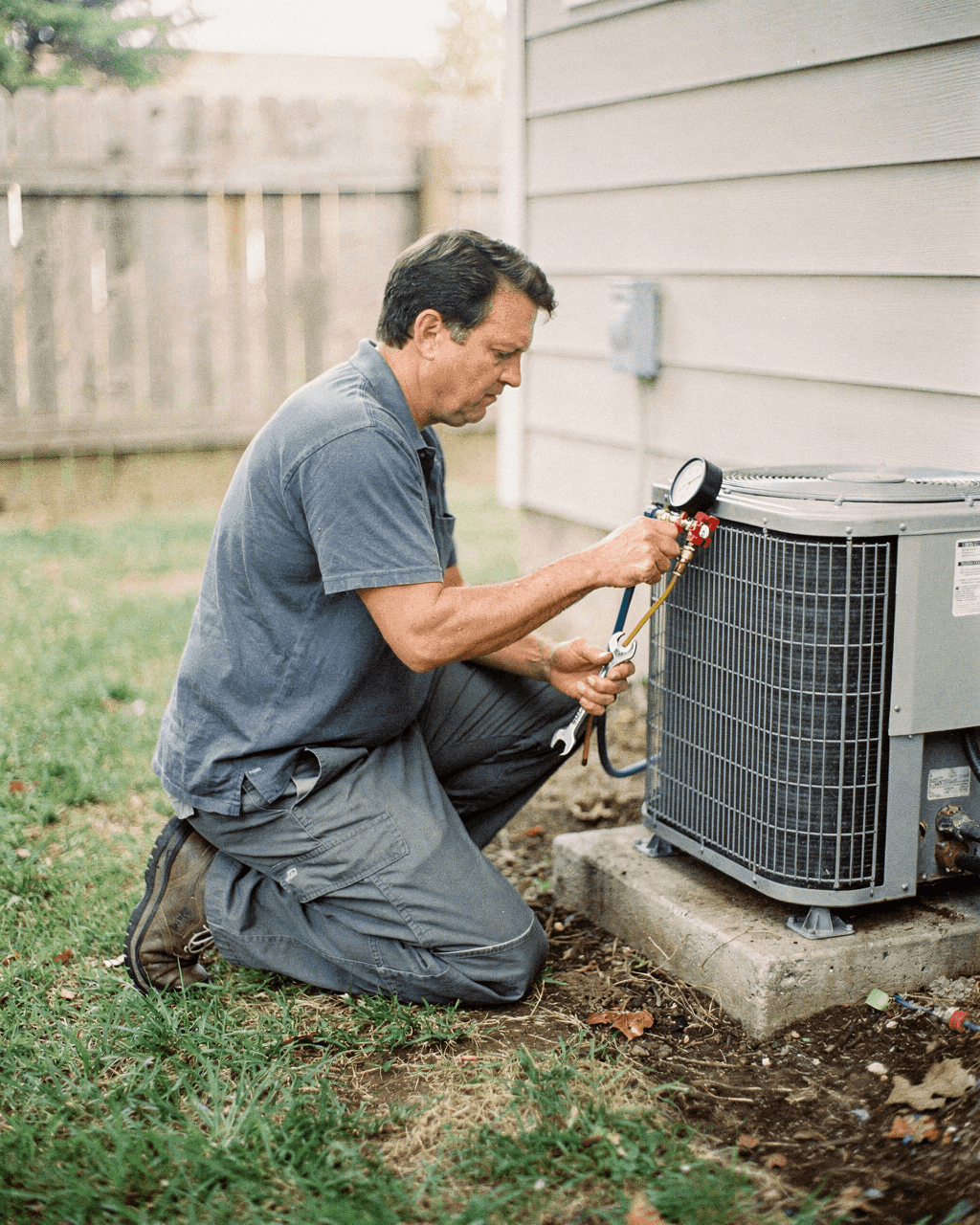
Search "HVAC social media marketing" and every result hands you the same list: before-and-after photos, behind-the-scenes clips, memes, testimonials. True, but a category is not a post. You still have to open the app and write something. Here is what to actually type, a calendar built around when people search for this (spring, not July), and one popular tip you should leave out.
Posts you can copy this week
Each of these works from your phone, no separate shoot, with a caption you can lift close to word for word.
The filter reminder
Photo of a dirty filter next to a new one. Caption: "When did you last check your filter? Do it monthly in the busy months, swap it by month 3 even if it looks fine."
The noise translator
One sound per post: banging, squealing, clicking, humming. Caption: "That clicking before the furnace kicks on? Usually the igniter. Call us before it stops starting altogether."
The before-and-after
Old unit out, new one in, same angle both times. Caption: "Swapped out in [town] today: a 14-year-old unit for a [brand/SEER], same afternoon. Here is what the old one looked like inside."
The tune-up push, once a season
A truck in a driveway or a tech at the outdoor unit. Caption: "Spring tune-up spots for [month] are filling. Book now, before the first 90-degree week has everyone calling at once."
The team shot
Crew before the first call of the day. Caption: "6am, first stop of the day. If you see this truck in your driveway today, say hi."
The one tip to never hand out: checking your own refrigerant
Several HVAC marketing guides suggest a "how to tell if your refrigerant is low" video as an easy educational post. Do not post that one. Section 608 of the Clean Air Act requires certification for anyone who maintains, services, repairs or disposes of equipment that could release refrigerant, and checking the charge means opening a sealed system, which is exactly that kind of work. A post that walks a homeowner through it either tells them to do something that needs a certified tech, or it is vague enough to be useless. Either way, it is the wrong post for a company whose whole pitch is "call a licensed professional."
- Safe to post: signs the system might be low on refrigerant (weak airflow, ice on the line, longer run times) with a clear "that is when you call us," no DIY steps.
- Safe to post: the filter check, since changing a filter needs no certification. ENERGY STAR's guidance: check it monthly in the busy months and change it at least every 3 months.
- Not safe to post: any walkthrough of opening the system, reading gauges, or adding refrigerant yourself.
A calendar built around when people actually search for this
Search interest in HVAC social media marketing itself more than doubles in March and stays up through April, then drops back down for the rest of the year. Match your own posting push to the same curve instead of spreading effort evenly across 12 months.
| When | Push | Post types |
|---|---|---|
| Late winter (Feb) | Get the page ready | Catch up on before-and-afters from winter calls, post the team, clear old offers |
| Spring (Mar-Apr) | AC tune-up season | Tune-up booking posts, filter reminders, "beat the heat wave rush" push |
| Summer (Jun-Aug) | Keep it light | Noise translator series, team shots, slow-day availability |
| Fall (Sep-Oct) | Furnace tune-up season | Furnace-specific tune-up push, filter reminder again, "before the first cold night" urgency |
| Winter (Nov-Jan) | Emergency-ready | Emergency heat posts, testimonials, holiday hours |
Which sound you are allowed to use
If you film on TikTok with a Business Account, the app only shows you the Commercial Music Library when you tap Add Sound. That trending song from a personal account is not always an option once your account is a Business Account, so pick the sound before you film instead of after. See the Commercial Sounds guide for how to find one that fits.
Smart thermostats are also a real content angle, not just a sales pitch: an ENERGY STAR certified smart thermostat saves homeowners about $100 a year, which is a number worth putting in a caption the next time you install one.
Plan a month of these in one sitting with the free 30-day content calendar, and see TikTok for plumbers for how another home service trade handles filming inside someone's house. 37% of US adults use TikTok now, so even a local HVAC company is not posting into an empty room.
Common mistakes
- Posting the refrigerant DIY tip anyway because it is "just engagement," then having to explain in the comments why you walked that back.
- Only posting finished installs: no before, no context, scrolled past in a second.
- Pushing the tune-up offer in July, after the rush has already happened and the calls have already gone to whoever posted in March.
- Showing a customer's address, driveway or house number in a before-and-after without asking first.
- Going quiet for two months, then posting 5 times in one day. A page that looks abandoned costs more trust than it gains back in one burst.
Sources
- EPA: Section 608 technician certification requirement
- EPA: Section 608 of the Clean Air Act, ozone-depleting refrigerants
- ENERGY STAR: heating and cooling, filter checks and smart thermostat savings
- TikTok: how to use the Commercial Music Library
- Pew Research Center: Americans' Social Media Use 2025, 37% of US adults use TikTok
- Hook Agency: HVAC social media post ideas
Questions
What should an HVAC company post on social media?
Filter reminders, a "what that noise means" series, before-and-after installs, a seasonal tune-up push, and team shots. Give each one a real caption with a specific detail, not just a photo and a hashtag.
Should an HVAC company post a video on how to check refrigerant levels?
No. Checking refrigerant means opening a sealed system, and EPA Section 608 requires certification for anyone who services equipment that could release refrigerant. Post the warning signs instead, with a clear "call us" instead of DIY steps.
When should an HVAC company post the most?
Search interest in HVAC social media itself more than doubles in March and stays elevated through April, ahead of AC tune-up season. Push tune-up content then and again in September and October ahead of furnace season, rather than spreading effort evenly all year.
What is a safe filter-related post for an HVAC company?
Changing a filter needs no certification, so it is safe to post. ENERGY STAR recommends checking the filter monthly during heavy-use months and changing it at least every 3 months.
Which platform is best for an HVAC company?
Start wherever your customers already check you out, usually Facebook and Instagram for a local service business, and add TikTok for reach to people who have not heard of you yet. A Business Account there only sees the Commercial Music Library when picking sound.
Can an HVAC company post without showing a technician's face?
Yes. The old part, the new unit, a gauge reading, and text-over-photo tips all carry a post. Showing the crew occasionally builds trust, but it is not required for every post.
Is smart thermostat content worth posting?
Yes, and it does not need to read like an ad. An ENERGY STAR certified smart thermostat saves about $100 a year, which is a concrete number to drop into a caption the next time you install one.
Skip the work. Get the posts.
Give us your website. We make a week of posts for your business, ready to post.
Free to start. No subscription.