Social Media for Restaurants: Shoot the Food, Fill the Tables
A 10-minute photo pass between tickets, the right angle per dish, and where the photo earns its keep after Instagram.
By the Next5 team · · 9 min read
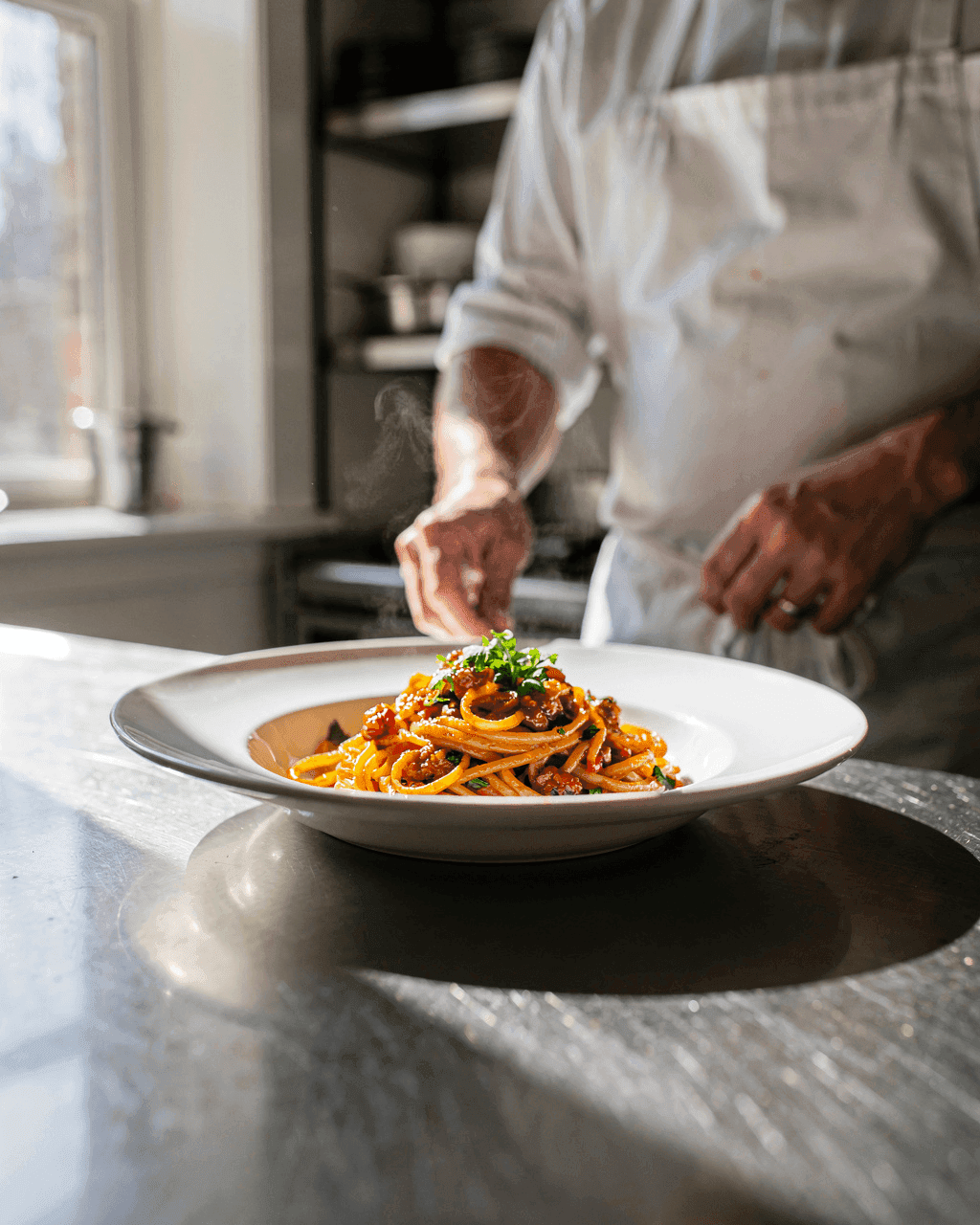
Your food is already the content. The problem is that it leaves the pass fast and nobody has time to style a plate. You need a routine short enough to survive a lunch rush, and a plan for where the photo goes after you take it, because for a restaurant the feed is only half the job.
Shoot 3 dishes in one 10-minute pass
Pick a quiet gap, 2pm or right before service, and fire 3 dishes the kitchen is happy to remake. One pass a week gives you a month of posts.
Wipe the lens, then find the window
Put the plate beside a window with the light coming from the side, not in a direct beam of sun. Side light shows the texture of a crust or a sauce. A thin white curtain softens hard sun.
Kill the ceiling lights and the flash
Overhead kitchen light turns food yellow or green, and the phone flash flattens it. Turn both off, even if the plate looks darker to your eye.
Bounce the dark side back
Hold a sheet of white card opposite the window and move it closer until the shadow side shows detail again. A clean menu does the same job.
Clear the frame
Order tickets, cords, cleaning supplies and stained prep surfaces are what make a photo look like a kitchen accident. One clean surface, one plate.
Use the main lens and tap the hero
Shoot with the main rear camera, not digital zoom. Tap the protein or the top of the stack to focus, then nudge exposure down a touch so the highlights hold.
Shoot it hot, and shoot a few frames
Photograph the plate right after it goes up, while it is still steaming. Take a short burst without moving the plate, then pick the best frame later.
The angle depends on the dish
One angle for everything is why most restaurant feeds look flat. Match it to the shape of the food.
| Dish | Angle | Why |
|---|---|---|
| Burgers and sandwiches | About 45 degrees, or slightly lower | Shows the stack and what is inside it |
| Salads and composed bowls | Straight down or high | The arrangement is the selling point |
| Pizza and flatbreads | Straight down, or a low 45 when the crust matters | Full shape, unless you are selling the rise |
| Soup, ramen and anything in a deep bowl | High three-quarter | You can see into the bowl and still feel the depth |
| Tall drinks and cocktails | Near eye level | Height is the whole point |
| Layered desserts | About 45 degrees | Shows the layers instead of a frosted lid |
Use every photo twice: Instagram and Google
Someone deciding where to eat tonight types "restaurants near me" before they open Instagram. The photo you just shot does more work on your Google Business Profile than anywhere else.
- Google asks for at least 3 photos of the food or drinks you serve, and at least 3 interior photos. It recommends evenly lit shots of your most popular items, which is what the window pass gives you.
- Name the dish when you upload it. You and your customers can both add dish photos and names, and a photo added through Maps shows up in your general photos and can appear as a dish.
- Fill the menu editor. List items with descriptions and prices, grouped into sections like appetizers, desserts and main courses. Customers can add a menu photo too, so if you skip it, someone else's blurry shot of a paper menu is what people see.
- Do it before you need it. Changes can take 24 to 48 hours to show on Maps and Search, so a menu update the morning of a holiday is already late.
The post that fills a dead Tuesday
Most restaurant posts are built to look good. A slow-night post has one job: put people in chairs in the next 4 hours. It should read differently.
- Say the night, the dish and the price in the first line. "Tuesday, the short rib is on at 24 until we run out."
- Say what to do: walk in, call, or tap the link. One action, not three.
- Post it to Stories around the hour people decide, not at 10am. To find that hour, run the 2-week test in the best time to post on TikTok.
- Show the room as it is right now. A quiet 5pm dining room with "tables free tonight" beats a styled plate from last month.
- Give the slow night a fixed slot so people learn it. Same night, same time, every week.
Which music your account is actually allowed to use
This is the rule that silently kills restaurant posts. On TikTok a Business Account only sees the Commercial Music Library, and on Instagram the licensed library is not open to every account type, so a trending sound you heard on a personal account may not be an option for you.
- TikTok: "If you use a Business Account, when you start a new video and click on Add Sound, you will only see sounds from the Commercial Music Library." Those are cleared for organic posts and ads.
- Instagram: when your account type does not have the licensed music library, Instagram points you to Meta's Sound Collection, which has music and sound effects.
- What to do: pick the sound in the app before you shoot, so your cuts match something you can keep. A trend you cannot soundtrack still works as a format: same shots, your own audio. See the Commercial Sounds guide.
Let your guests shoot the room for you
You get 3 photos a week. A full dining room makes hundreds, and a guest photo is more convincing than anything from your own camera.
- Put your handle where people look while they wait: the menu, the table tent, the receipt.
- Ask before you repost, every time, even when they tagged you. It takes seconds and avoids taking a post down later.
- Pin the best guest photos to a Highlight so a first-time visitor sees real tables, not only your own shots.
- Reply to the tagged story the same day. A guest who gets a reply posts again.
A pace you can keep during a Friday rush
Pick the pace you can hold on your busiest week, not your quietest. The silent month after a 7-post burst costs more than those posts gained.
| App | A workable pace | What it is for |
|---|---|---|
| 3 to 5 feed posts a week, Stories daily | The check people run before they book | |
| TikTok | 4 to 7 short videos a week if you can | Reaching people who have never heard of you |
| 2 to 4 posts a week | Regulars, events and anything with a date | |
| Google Business Profile | Photos whenever you shoot, menu kept current | The "restaurants near me" search that happens first |
Batch it. One photo pass plus one sitting for captions covers the week. The free 30-day content calendar is built for that sitting, and 25 low-cost marketing ideas cover the non-social half of a slow month.
Know which post actually filled seats
Likes tell you nothing about covers. Give each promoted post its own promo code or link, then count what comes back. It works for walk-ins too: "say short rib at the counter" is a code.
Common mistakes
- Posting a dish you are out of tonight. A guest who drives over for it leaves annoyed, which is worse than no post.
- Shooting under the heat lamp. The light is the problem, not the phone.
- Only posting finished plates. The room, the staff and the prep are why someone picks you over the identical menu down the street.
- Leaving Google empty while the feed is busy. People never reach the feed.
- Reposting a guest photo without asking, then having to take it down.
Sources
- Google Business Profile Help: tips for business-specific photos
- Google Business Profile Help: about the menu editor
- Google Business Profile Help: manage your restaurant's popular dish names
- TikTok: how to use the Commercial Music Library
- Instagram Help: how to use music in your videos on Instagram or Threads
- MenuCapture: restaurant food photography, window light and angles by dish
- Beyond Menu: restaurant photo quality, phone settings and bounced light
- Flameingo: how often a restaurant should post
- ChowNow: restaurant post ideas, guest photos and promo-code tracking
Questions
How often should a restaurant post on social media?
A workable pace is 3 to 5 Instagram feed posts a week with daily Stories, 4 to 7 short TikToks if you can manage it, and 2 to 4 Facebook posts. Pick what survives your busiest week.
Which platform is best for a restaurant?
Start with Instagram, since that is where someone checks your food before deciding. But your Google Business Profile comes first in practice: people search "restaurants near me" before they open any app, and Google asks for at least 3 food photos and 3 interior photos there.
How do I take good food photos with just a phone?
Shoot beside a window with the light coming from the side, flash and ceiling lights off, main lens instead of zoom. Tap the most important part of the dish to focus, nudge exposure down slightly, and shoot right after plating.
Can my restaurant use trending music on TikTok and Instagram?
Not freely. TikTok says a Business Account only sees sounds from the Commercial Music Library when adding sound, cleared for organic and paid posts. On Instagram the licensed music library is not available to all account types, and Meta's Sound Collection is the alternative.
What should a restaurant post on a slow night?
One post with the night, the dish, the price and one action: "Tuesday, short rib is 24 until we run out, walk in." Show the room as it looks now, and post near the hour people decide where to eat.
Can I repost a photo a customer took in my restaurant?
Ask first, every time, even when they tagged you. It takes seconds and is cheaper than removing a post later. Pin the ones you get to a Highlight so new visitors see real tables.
How do I know if a post brought anyone in?
Give each promoted post its own promo code or link and count what comes back. For walk-ins, ask people to say the dish name at the counter and tally it on the shift sheet.
Skip the work. Get the posts.
Give us your website. We make a week of posts for your business, ready to post.
Free to start. No subscription.